Showing posts with label Jail Break Free. Show all posts

Wednesday, 7 September 2011

Best iPhone 4 HD theme and Cydia tweaks for your Jailbroken iPhone 4

The best HD Winterboard theme and some rare Cydia tweaks that you may or may not have heard of.

Most of these tweaks will work on 3GS and iPhone 4. The custom font  used is called "Sony sketch EF"

The theme used is timeless HD for iPhone 4 available in cydia.

The list of apps and tweaks i use:

*Gridlock
*Qtweeter
*Infinifolders
*infinidock
*cameralock
*clock hide
*callbar
*iconnotifier
*iconrenamer
*folder enhancer
*labelslide
*multiflow
*speed intensifier
*SB Settings
*Bytafont 


Saturday, 3 September 2011

Easy Picture Steps to Install Installous on your Jail broken Iphone

 :)  Have you completed jail broken your I phone?
Ofcourse you will think how to Install Game and other apps for free right ?
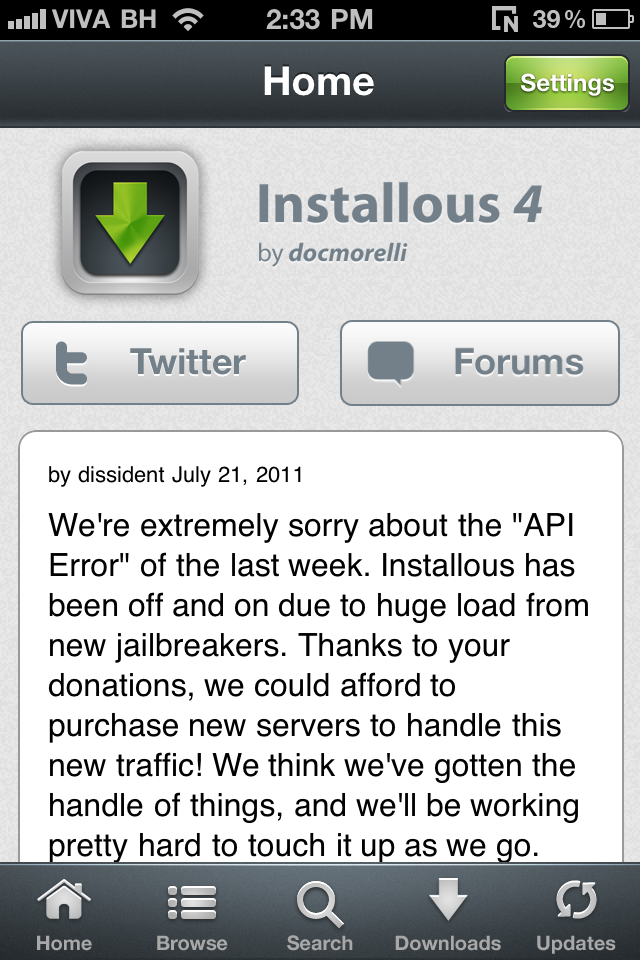
Here I go I will show you here about one apps called Installous which is like Apps store but you don't have to enter your details or credit cards BLAH BLAH BLAH !!!

 What is Installous ?


Installous is an installation package for jailbroken iPhones, iPads, iPods, and other Apple devices that allow users to install “illegal” applications. Illegal applications refer to unofficial applications and those that other Apple users have cracked. This means that Installous previews Apple applications before they are purchased. Installous is free and can be downloaded via Cydia, the online database of portable device applications. The use of Installous and similar programs is commonly referred to as “jailbreaking” and although it was once considered unlawful, it is now perfectly legal. However, there are still laws concerning how Installous and similar programs are used.
How Installous Works
Installous allows users to search for jailbroken applications on Cydia and other application databases. Once a user finds an application that he/she likes, the user can download the application and install it on his/her Apple device. Installous automatically extracts the downloaded file and places the file’s contents in the appropriate directories on the Apple device. Installous also removes installed applications, undoes specific system changes, and updates currently installed applications with the latest version of the software. Installous works in a similar way to Windows Installer but is specifically made for Apple devices. While there are other installation programs available for Apple devices, Installous is by far the most popular and is compatible with the most applications.
Advantages
Installous installs cracked Apple applications as well as applications that other vendors created on any jailbroken Apple device. It is very easy to use and free to download. Installous does not use a significantly large amount of memory and takes up very little room on the user’s device, considering the tasks it is capable of performing. It accesses a jailbroken device’s Internet connection, allows users to search directly from its own interface, and keeps track of the applications it installs for the user’s convenience.
Disadvantages
While it is perfectly legal for users to install applications that public vendors made, it is illegal to use Installous to download free copies of Apple software. However, no one has been prosecuted for doing this yet and it is likely that if anyone ever is, it will be the software providers rather than the users themselves.


Ok now you are thinking to Install it right ?
Please follow the steps below

Step 1.
Go to the Cydia and Tap on Manage below the screen


Step 2. 

Tap on source


Step 3.

Now tap  Edit on the top right side


Step 4. 

Tap Add button on the top left side 


Step .5 
type there same as screen URL address 


Step 5.
Tap Add Anyway


Step 6.

Now return to cydia and Go back to Manage (Source) again
You should see your screen like this  and Tap on Hackulo.us


Step 7.
Now you will see this  screen with Install Button on the top right side (NOT MODIFY)


Step 8. 
Tap Confirm to finish


Here you go Intallous is ready to use on your home screen :) Enjoy


Saturday, 30 July 2011

Information About Jail Break


What's a jailbreak?
Jailbreaking your device means installing a small program that removes restrictions in the default software. A jailbroken device can run apps and extensions (themes and tweaks) not approved by Apple. Jailbreaking does not slow down your device or use extra battery, and you can still use all your existing apps and buy new ones from the App Store. Jailbreaking simply enables you to do more with your device, nothing is taken away.
Is JailbreakMe reversible?
Yes! If you ever decide that you want to undo your jailbreak, connect your device to your computer, sync to make a full backup, press Restore in iTunes to wipe the device, and load your backup when prompted. All your App Store apps and the information in them will be preserved as usual.
Can jailbreaking "brick" my device?
JailbreakMe provides a safe jailbreak that cannot put your device into an unusable state on its own. You will have full access to your jailbroken device, which gives you the power to modify it in ways that can put it in a state where you have to connect your device to iTunes and "restore" from a recently-synced backup. However, it should not be possible to render your device as permanently non-interactive as a brick, no matter what you choose to install.
Is this legal in the United States?
The Library of Congress approved a DMCA exemption in 2010 for jailbreaking cell phones, including the iPhone.
Can jailbreaking make my device less secure?
By itself, jailbreaking does not make you vulnerable.
However, a common mistake for jailbreakers is to install OpenSSH but forget to change the passwords for root and mobile; this lets anyone log into your device over the Internet. If you install OpenSSH, remember to change the password!
How can I get help with jailbreaking?
If you need technical help with jailbreaking, you can try websites like Jailbreak QA and /r/jailbreak.
Isn't there a risk hackers will make the exploit from this site into an iPhone virus?
When I released JailbreakMe 2.0 last year, some media reports focused on the security implications of releasing an exploit for unpatched vulnerabilities. I am not sure myself what to think of this, but here are some facts:
▻ I did not create the vulnerabilities, only discover them. Releasing an exploit demonstrates the flaw, making it easier for others to use it for malice, but they have long been present and exploitable. Although releasing a jailbreak is certainly not the usual way to report a vulnerability, it still has the effect of making iOS more secure in the long run.
▻ There's always a first time, but I think there's a good chance the security impact of these vulnerabilities will remain theoretical. Despite JailbreakMe 2.0 being open sourced after an updated version of iOS was released, which would have made it relatively easy to modify the code into an attack, I didn't hear about any such modification except a proof of concept that showed up much later. The only iPhone virus ever to attack the general public was a trivial one that affected jailbreakers who installed OpenSSH (not installed by default) but left it at the default password.
▻ Along with the jailbreak, I am releasing a patch for the main vulnerability which anyone especially security conscious can install to render themselves immune; due to the nature of iOS, this patch can only be installed on a jailbroken device. Until Apple releases an update, jailbreaking will ironically be the best way to remain secure.
▻ Jailbreak apps and tweaks improve the mobile experience of millions of users, including many who were encourged to try it by the ease of use of web-based jailbreaks. I'm not just doing this to be flashy: there is considerable benefit to writing this kind of tool rather than one that requires a connected computer.

Sunday, 3 July 2011

The Mystery Behind Unlocking And Jail Breaking Of The iPhone

This reading gives on in depth details about the iphone, its working principle, its revolution, unlocking, jail breaking and advantages of the iphone so that the world is aware of the latest happenings in the phone market. It is always important to know and learn about any product before you buy it.


Iphone is the most popular phone released by the brand company Apple. This is a real top class product that has made most of the users turn their heads when they hear the world iphone.

Such is the impact of the phone filled with extremely superior features that make this phone an awesome thing to have. When the world is turning to 3G in internet field, smart phones provide the right platform to make use of it with their added and quality features that are designed to keep the user happy. Iphone has surely covered the most of the smart phone segment in its country of origin USA. The number of sales is ever increasing as the days pass by.

The phone basically has two partitions, one the media partition and the other operating system partition. It works only on AT and T network service provider in the USA. However if you want to use the phone outside of USA then you will need to unlock the iphone first and then you can insert other network SIM to make the phone active. The unlocking is a process in which the phone activates the Modem to access and allow the other network SIM card to be operational in this phone.

This process will release the iphone to any network and in any country. The preferred way of doing this operation is by using the unlock iphone software so that it is done in the right way to incorporate the other types of SIM cards all over the world. Once you done with this operation then your phone is available for further use in the non USA countries.

After unlocking the iphone, in order to access the 3rd party softwares and applications, the user needs to jailbreak the iphone, which means extending the phone beyond AT and T network in order to access the online videos, movies, games and many other things that require the high speed internet and 3G services. Jaibreaking is not done by Apple and it does not hold responsible for the damages that can be occurred due to the access of 3rd party software and its applications through jailbreak iphone 3g

However this is still a legal process to jail break if the user is willing to take responsibility and ownership on after incidents of jail break. The Apple will terminate the user warranty if the damage to the phone and its softwares is found to be done by the process of jail break and its applications after a thorough investigation of the incidence.

Free jailbreak iphone 4 for tethering with Greenpois0n 4.3.3 and 4.2.1


Download Green poison for free here Download


Please follow the video how to use green poison...
Keep your mobile Jail Breaked Enjoy fREE apps 

Wednesday, 29 June 2011

Jail Break Your Iphone 4 4.2.1 For free with Tutorial


How To Use Greenpois0n – The Quick Guide
1.  Remember greenpois0n is not and unlock it is a jailbreak (if you are unsure of the difference, stop now and become friends with google)
2.     Download and extract greenpois0n from the .zip and start greenpois0n.
3.     Attach your iPhone, iPad or iPod to your computer and click ‘Jailbreak’.
4.     Greenpois0n will now commence its DFU guide, if you know how to put your device into ‘DFU Mode’ you can do this at your own speed and greenpois0n will acknowledge a successful DFU operation.
5.     Press ‘Jailbreak’ and let greenpois0n do its thing, you will see wonderful lines of text scroll on your screen to assure you that something is happening.
6.     After a few seconds greenpois0n will display a ‘complete’ message, the greenpois0n injection is complete and wait for your device to reboot automatically.
7.     Once your device has rebooted make sure you have an active internet connection, locate and press the ‘Loader’ icon on your device, this will download cydia and install it for you, once it has done this your device needs to reboot one more time.
8.     Your done! Enjoy 


                        DOWNLOAD

Don't forget to Watch this video